
Many podcast apps discover public RSS feeds automatically, especially after a show appears in Apple Podcasts. Direct submission is still useful when a show is missing, when you want to claim its creator dashboard, or when you want faster indexing.
Before using any form, open Settings > Distribution in Mato, click Sync now in the Mato hosting section, copy the RSS feed URL, and confirm that at least one episode is published. Podbean, Pocket Casts, Castbox, and Listen Notes each have their own row in the Directories card, so you submit them once and then click I've submitted it to track them. Podcast Index sits in the card's automatic group, which lists the show on its own; submitting it directly can still speed up indexing.
Pocket Casts
- Open Pocket Casts podcast submission.
- Paste the Mato RSS Feed URL or the public Apple Podcasts listing URL.
- Select Public for a normal podcast that should appear in search and discovery.
- Click Submit.
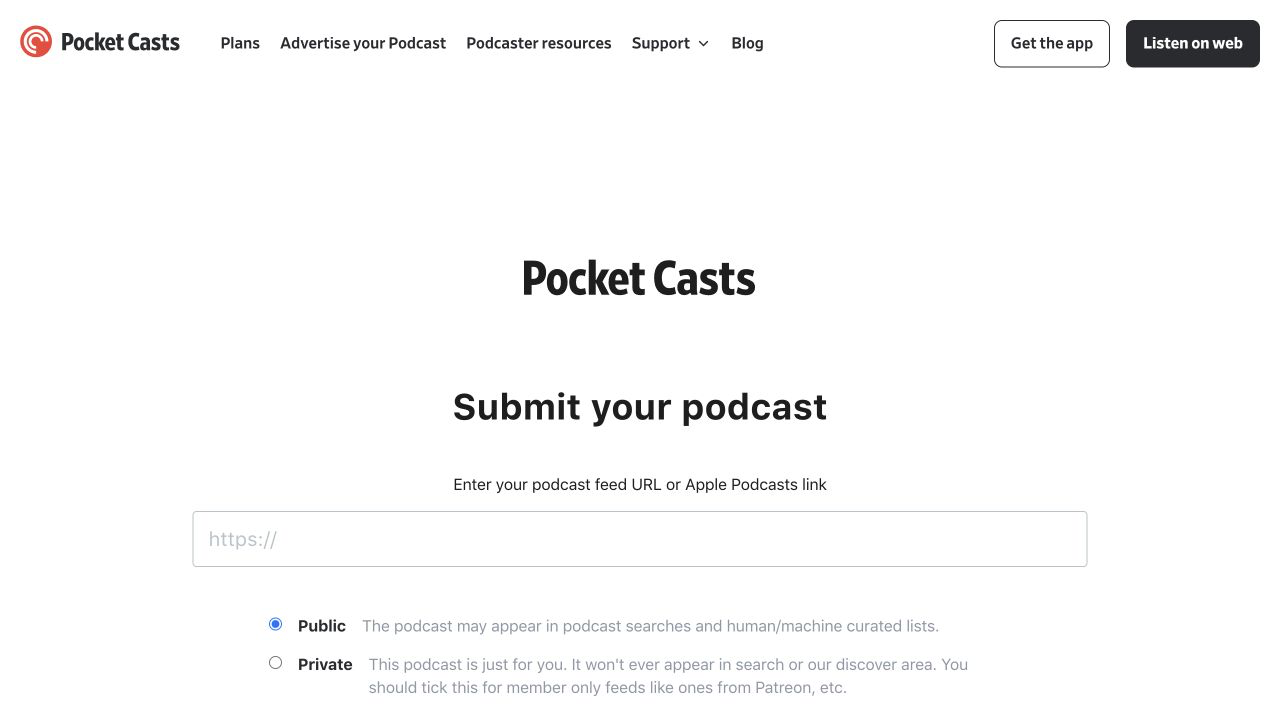
Screenshot captured on August 31, 2026. The interface may change. Pocket Casts is a trademark of its owner. This guide is not endorsed by Pocket Casts.
Pocket Casts says search indexing can take up to 12 hours. Use Private only for a feed that must not appear in public search, such as a personal member-only feed.
Castbox
- Open Castbox for Podcasters.
- Click Enter Creator Studio and sign in or create an account.
- Start the show ownership or channel claim flow.
- Paste the Mato RSS Feed URL.
- Complete the ownership verification requested by Castbox.
Castbox says claiming an unlisted show also adds it to Castbox. If it is already available, use the claim flow instead of creating a second channel.
Podbean directory
- Open Submit Your Podcast to the Podbean Directory.
- Sign in to a Podbean account or create a free account.
- Click Submit Your Podcast Now.
- Paste the Mato RSS Feed URL and submit it.
You do not need to move the podcast to Podbean hosting to add its RSS feed to the Podbean listening directory.
Listen Notes
Listen Notes usually discovers public podcasts through its crawler, but its submission form can add or refresh the show sooner.
- Open Submit your podcast to Listen Notes.
- Paste the Apple Podcasts listing URL when available, or use the Mato RSS Feed URL.
- Optionally enter an email address for the completion notice.
- Click Submit.
Listen Notes says Apple Podcasts URLs are normally approved immediately and RSS URLs are reviewed within 12 hours.
Podcast Index
- Search for the show on Podcast Index first.
- If it is missing, open Add a feed to the index.
- Paste the Mato RSS Feed URL.
- Complete the human-verification challenge yourself.
- Click Add.
Mato support cannot complete the human-verification challenge for you. We can check the feed before you submit it.
Platforms without a verified public submission form
Old podcast guides frequently point to submission pages that have since moved or closed:
- The former public TuneIn podcast-submission URL now redirects to TuneIn's general podcast browsing page, and the previously published TuneIn help article is unavailable.
- The former Deezer podcast page in Deezer for Creators currently returns a page-not-found screen.
- Audacy's official help center says it is not accepting new podcast feed submissions at this time.
Do not enter account information into an unofficial replacement form. Search the app for the show first, then contact Mato support so we can verify the current route.
After a directory accepts the feed
Keep publishing through Mato. These apps read new episodes from the RSS feed; a separate episode upload is not normally required.
If the directory has its own row in Mato's Directories card, click I've submitted it in its submission dialog to mark it as in review; Mato picks up the public listing automatically once the directory confirms it.