
iHeartRadio accepts podcast RSS feeds through its Podcasters portal. The public flow is: sign in to an iHeartRadio account, enter the RSS feed, and wait for the show to become available in iHeartRadio.
Check regional availability
iHeartRadio currently limits access to its Podcasters submission portal to people located in the United States, Canada, Mexico, Australia, and New Zealand.
If you are outside a supported region, do not ask someone else to create or verify an account on your behalf. Contact Mato support so we can check whether an appropriate supported submission route is available.
Before you start
Prepare the following:
- An iHeartRadio account you control.
- Your public Mato RSS Feed URL.
- At least one published episode.
- Complete show artwork, title, description, and category metadata.
- The rights to distribute the show under iHeartRadio's agreements and content policy.
In Mato, open Settings > Distribution, click Sync now in the Mato hosting section, and copy the RSS feed URL.
Submit the feed
- Open iHeartRadio Podcasters.
- Click Submit Your Podcast.
- Click Login / Sign Up and sign in to the iHeartRadio account that should manage the submission.
- Continue to Enter Podcast RSS Feed URL.
- Paste the Mato RSS Feed URL.
- Review the show details that iHeartRadio reads from the feed.
- Review the content license agreement and confirm that the show complies with iHeartRadio's podcast content policy.
- Submit the show.
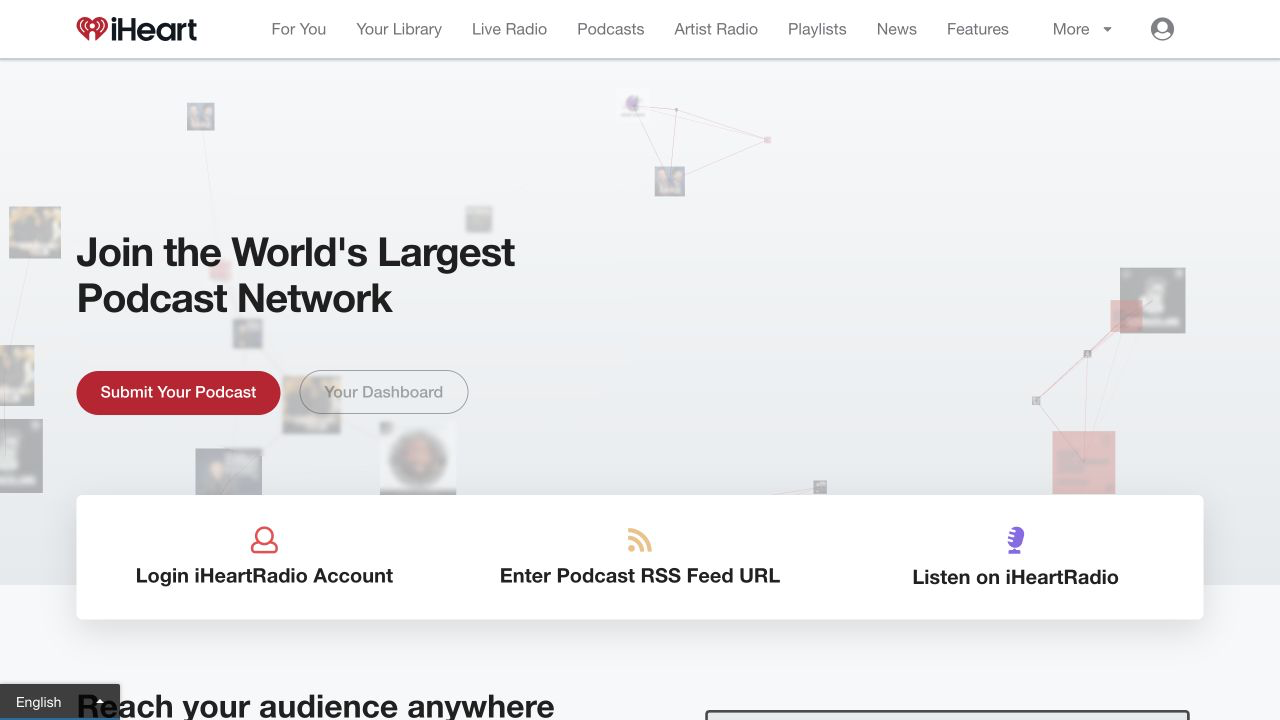
Screenshot captured on August 31, 2026. The interface may change. iHeartRadio and the heart-and-radio-waves logo are trademarks of iHeartMedia. This guide is not endorsed by iHeartMedia.
Check whether the show is available
Return to Your Dashboard in iHeartRadio Podcasters to check the submission. You can also search for the exact show title in iHeartRadio.
iHeartRadio's current public portal does not promise a fixed approval time. Avoid relying on old estimates. If the show remains unavailable, use the Need Help? option on the Podcasters page and include the RSS Feed URL and show title.
After the show is listed
Continue publishing episodes through Mato. iHeartRadio reads new episode and metadata updates from the RSS feed, so you do not upload each episode separately.
Keep the RSS URL stable. If you move the feed, follow iHeartRadio's current support process before disabling the old URL so the listing does not stop updating.
Common problems
The submission portal is unavailable. Confirm that you are in one of iHeartRadio's supported regions and that browser privacy or network settings are not changing the detected location.
The feed is rejected. Confirm that the feed is public, has at least one episode, and includes valid artwork and complete show metadata. Fix the source in Mato and re-sync before trying again.
The show is already listed. Use the same iHeartRadio account and dashboard to manage or report the existing listing. Do not submit a second copy with a different RSS URL.
A new episode is missing. Confirm that the episode is published in the Mato RSS feed, then allow the directory time to refresh it.
Want help with iHeartRadio?
Contact Mato support if you want us to check the feed or guide you through the portal. Keep your iHeartRadio password private.