
Amazon Music for Podcasters accepts one RSS feed for each podcast series. A successful submission makes the show eligible for Amazon Music and Audible, and claiming it gives you access to Amazon's podcast analytics.
Before you start
Prepare the following:
- An Amazon account you control.
- Your public Mato RSS Feed URL.
- At least one published episode.
- Access to the owner email address in the RSS feed.
- The rights to distribute the show and accept Amazon's content license agreement.
Amazon sends the ownership confirmation to the email address in the feed. In Mato, open Settings > Distribution, confirm the owner email in the Mato hosting section is monitored, click Sync now, and copy the RSS feed URL.
Add or claim the podcast
- Open Amazon Music for Podcasters.
- Click Add Or Claim Your Podcast.
- Sign in with your Amazon account.
- Paste the Mato RSS Feed URL. Submit only one feed for the series.
- Review and accept Amazon's content license agreement.
- Request the ownership confirmation.
- Open the message sent to the owner email in the RSS feed and confirm the show within 24 hours.
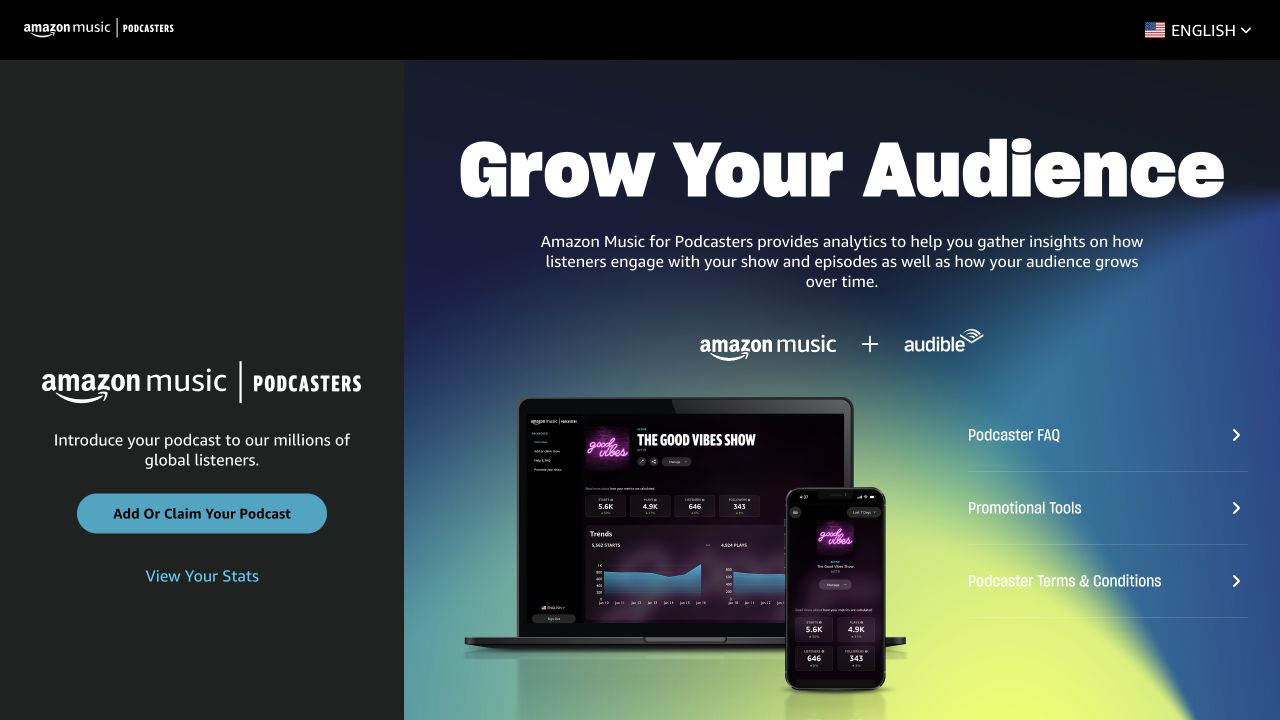
Screenshot captured on August 31, 2026. The interface may change. Amazon, Amazon Music, Audible, and Alexa are trademarks of Amazon.com, Inc. or its affiliates. This guide is not endorsed by Amazon.
Amazon labels an unverified claim as Unconfirmed. If the confirmation message cannot be delivered, the show can appear as Invalid Email. Correct the owner email in Mato, re-sync, and submit the feed again.
Check the listing
Amazon says a submitted show can take up to one week to become listed. Sign in to Amazon Music for Podcasters and open the show to check its status.
Common statuses include:
- Active: the show is available on Amazon Music and Audible.
- Unconfirmed: ownership has not been confirmed from the feed email.
- Pending: an episode is still processing.
- Suspended: the show is unavailable because of a terms or policy issue.
If the show is not listed after one week, contact Amazon's podcast support and include the show title and RSS Feed URL.
If Amazon already found the show
Amazon may discover a public RSS feed before you submit it. Use Add Or Claim Your Podcast with the same feed rather than creating a duplicate. After ownership is confirmed, the existing listing is connected to your Amazon Music for Podcasters account.
After the show is active
Amazon streams the audio from the URLs in the RSS feed. Publish and update future episodes through Mato; you do not upload each episode again in Amazon Music for Podcasters.
If you move the show to a different feed later, open the show's overflow menu in Amazon Music for Podcasters and choose Update RSS Feed. Do not submit the replacement feed as a second show.
Common problems
No confirmation email arrives. Check the owner email in Mato, including spelling and access to the inbox. Check spam and allow messages from Amazon before resubmitting.
The confirmation expired. Amazon's ownership confirmation is valid for 24 hours. Return to Amazon Music for Podcasters and request a new one.
The show is already listed but not in your account. Use the claim flow with the existing RSS feed.
A new episode is missing. Amazon says a new episode can take up to 24 hours to process. Confirm that it is published in the Mato RSS feed before troubleshooting the directory.
Want help with Amazon Music?
Contact Mato support if you want us to check the feed or owner email before submission. Keep your Amazon password and ownership confirmation private.