
The studio · Mato's workspace
The whole show, in one workspace
Where every minute of audio becomes a finished episode, twelve clips, three transcripts, and a publishable feed. No tab juggling. No Asana. No “where's the file?”
- 1
- Workspace replaces 8 tools
- 48 hr
- From record to publish
- ∞
- Versions, all reversible
What's inside
Eight tools, folded into one workspace
01
Edit by transcript
Cross out the words. The waveform follows. No timeline scrubbing. Just the text, and the cuts you'd make if reading it out loud.
02
Auto-clip, captioned
Twelve short-form clips per episode, captioned, sized for every platform. You approve. Mato schedules. Reach compounds.
03
Pipeline-grade attribution
Per-episode UTMs flow into HubSpot & Salesforce. Your CFO sees podcast contribution next to paid spend. No more "vibes-based" reporting.
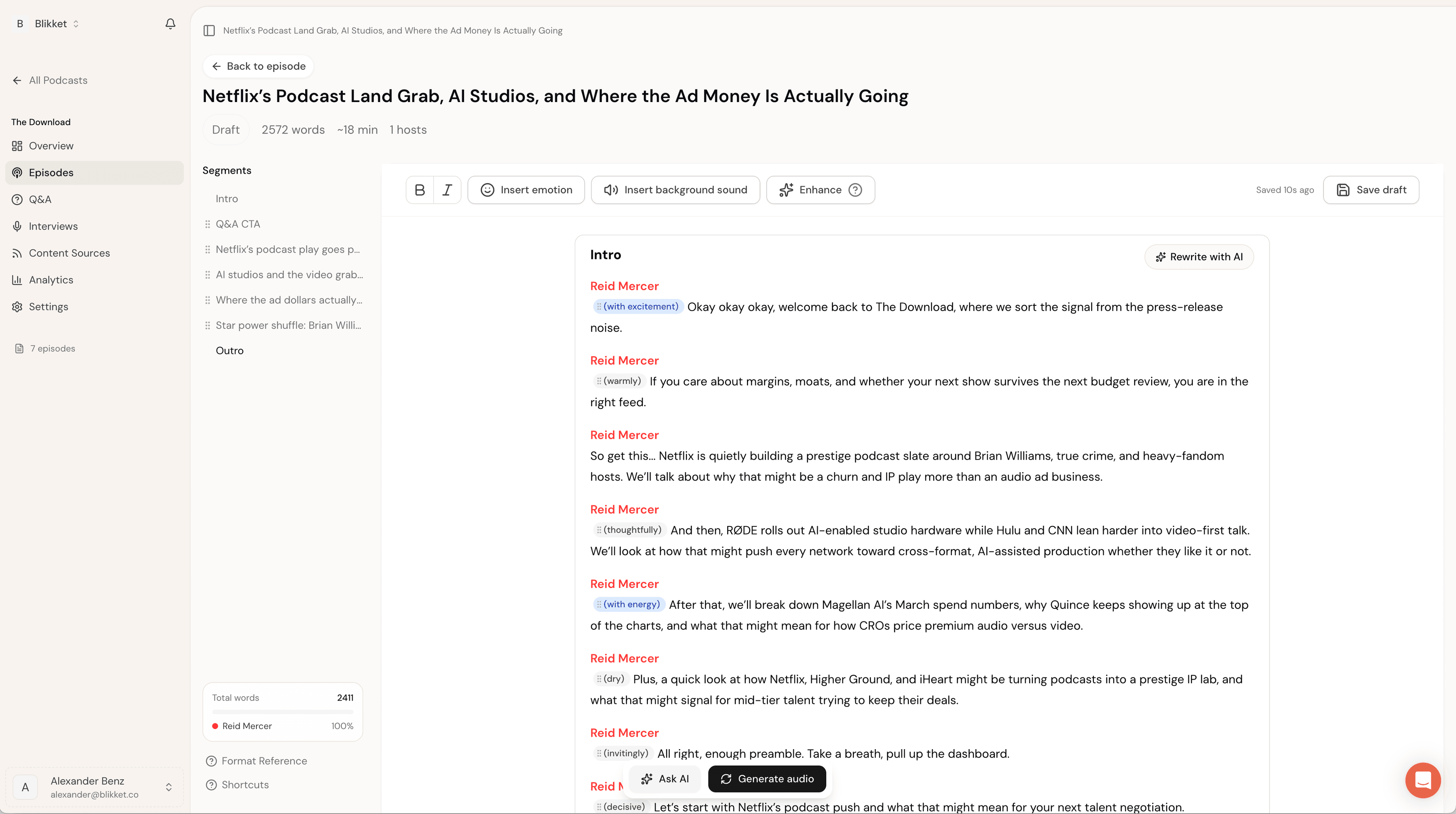
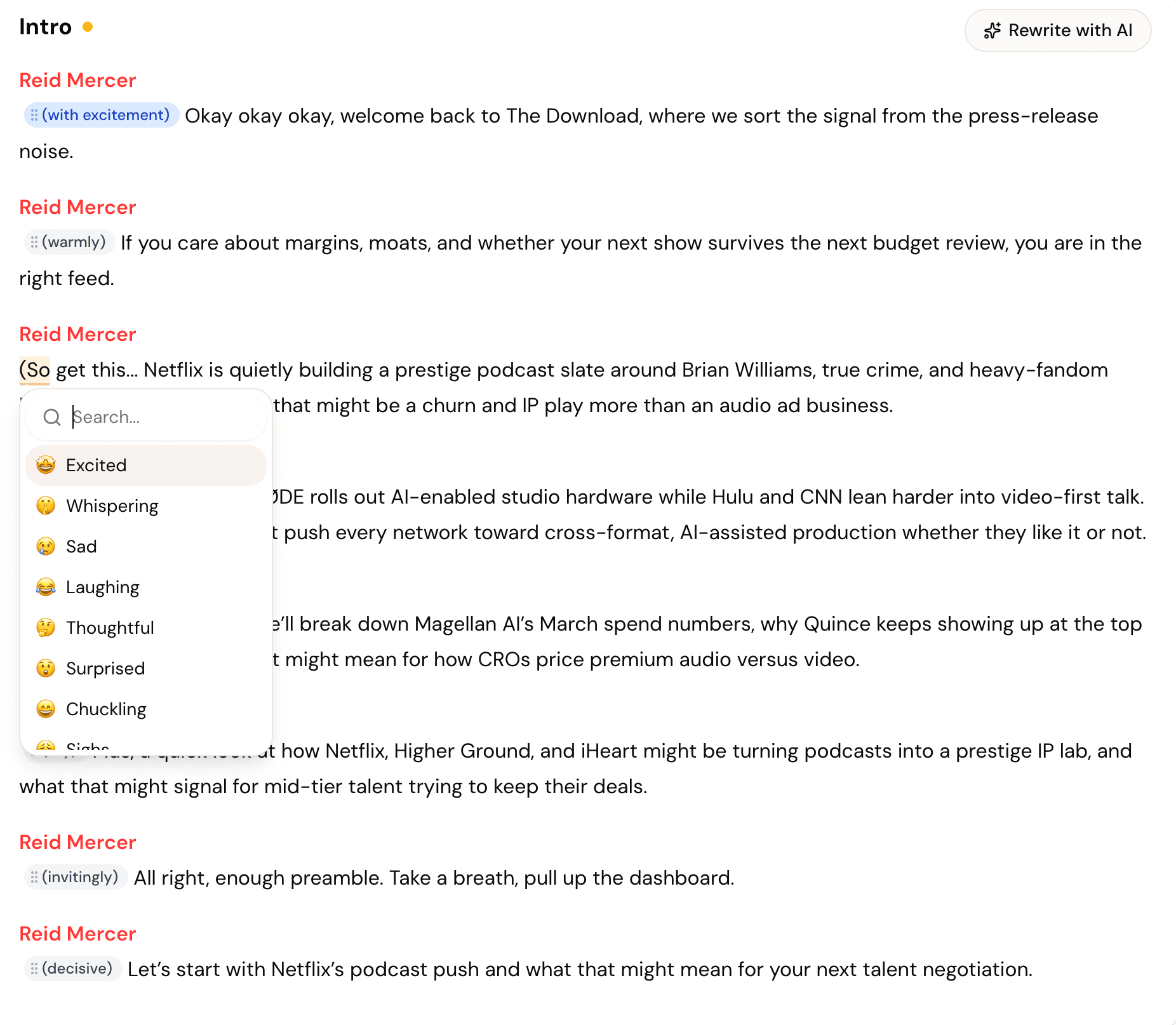
Edit by transcript
If you can read, you can edit
Strike through the line. The cut happens. Highlight a sentence. It becomes a clip. Drag two paragraphs. The audio re-arranges. No timeline view required.
- Strike-through removes audioOne keystroke. Reversible.
- Highlight to make a clipThe clip becomes vertical, captioned, ready.
- Re-order paragraphs by dragThe audio rearranges with you.
- Search-and-replace fillerZap "ums" across an entire episode in one pass.
Auto-clipped
One episode. Twelve clips. Six platforms
Mato pulls the moments that hit. The line your guest didn't expect to say, the punchline, the number. Captions baked in. Aspect ratios per channel. You approve, we ship.
- 9:16TikTok, Reels, Shorts
- 1:1LinkedIn, X
- 16:9YouTube
- Auto-detects pull-quotes & punchlinesTrained on a million viral clips, plus your own past hits.
- Per-platform aspect ratios9:16, 1:1, 16:9. All from one source.
- Caption styles match your brandFont, color, motion. Templated, customizable.
Plays well with everything
Plugs in where your team already lives
 HubSpotEpisode → contact → MQLComing soon
 SalesforcePipeline attributionComing soon
 SlackApprovals + alertsComing soon
 NotionShow notes, auto-syncedComing soon
 LinkedInAuto-publish clips
 YouTubeLong-form + Shorts
 SpotifyRSS & podcast partner
 Apple PodcastsAuto-distribution
 Zapier7,000+ connectorsComing soon
 GA4UTMs, all of themComing soon
 WebflowEmbed player + show pagesComing soon
- Public APIBuild your ownComing soon
Studio questions
Everything you'd ask before opening the workspace
Yes. Every cut is reversible. The transcript editor lets you strike words, rearrange sections, and promote pull-quotes — changes reflect in the audio in real time. Most teams approve the auto-edit as-is. The ones that don't spend about 10 minutes on a final pass.
A studio
that ships
Spin up a workspace in 90 seconds. Drop in a recording. Watch the whole thing assemble itself.