
Advanced settings hold the parts of a show most owners set once and rarely touch again: reference material for the writer, review rules, and the option to archive the show. Open it from your show's Configure sidebar, under Advanced.
Knowledge
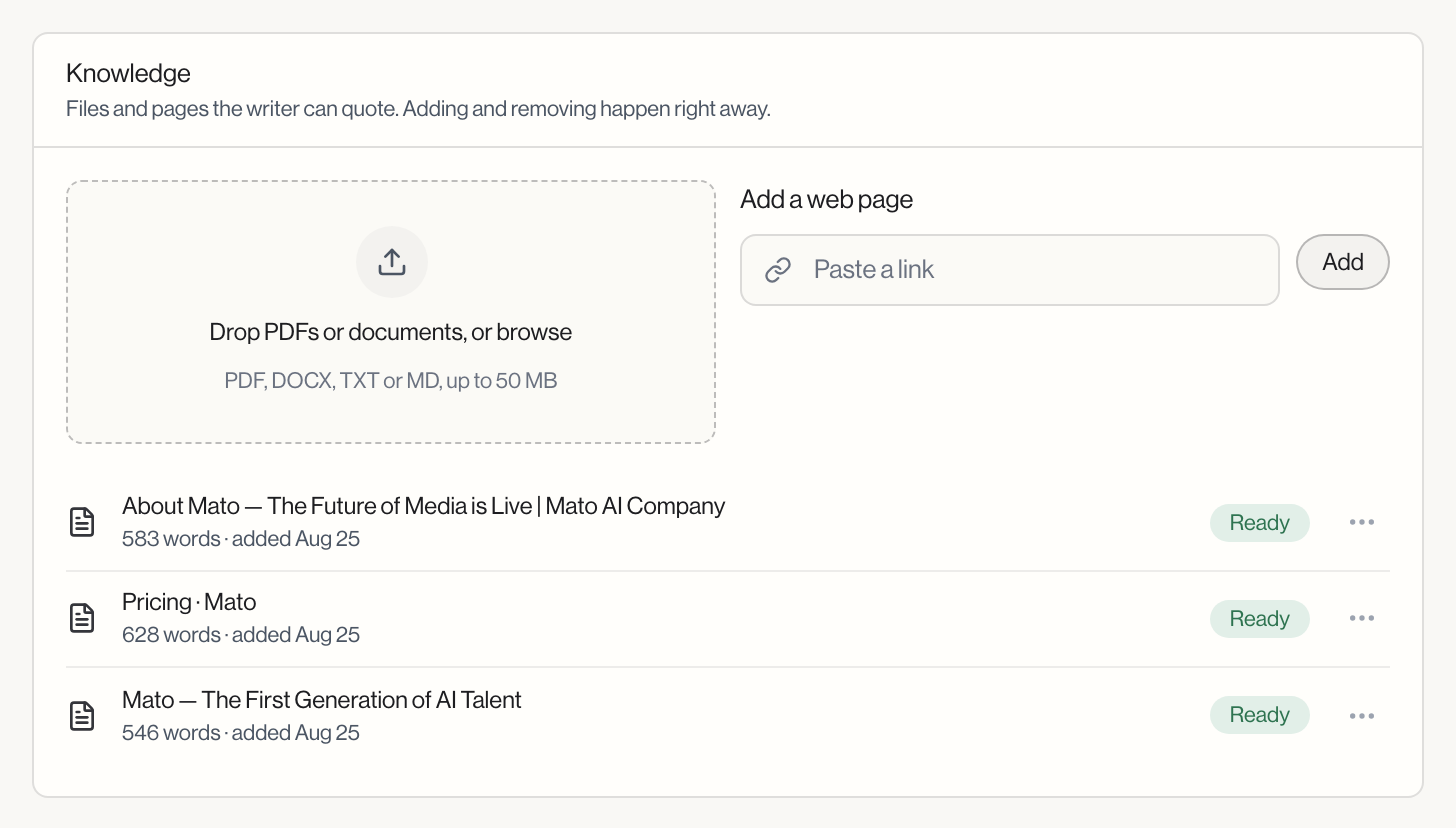
Files and pages the writer can quote from. Uploads and removals happen immediately, not through the save bar.
Drop a PDF, DOCX, TXT, or MD file (up to 50 MB), or add a web page by pasting its URL. Each entry shows a status badge: Ready, Reading, or Failed, along with a word count and date, or "Web page, added [date]" for URLs. Delete any entry from the menu at the end of its row; Mato asks you to confirm first.
Files here belong to this show only. Files about your business that every show should use, such as product documentation or your own Markdown notes, go under Company knowledge on the Company tab of workspace settings. The show uses both. When its company has files, the panel beside Knowledge says how many and links to them. See Workspace settings.
Titles and descriptions
Two instruction fields that guide how Mato writes each episode's title and description: Title instructions (up to 1,000 characters) and Description instructions (up to 1,500 characters). Leave either empty to fall back to Mato's default generator behavior.
Review and automation
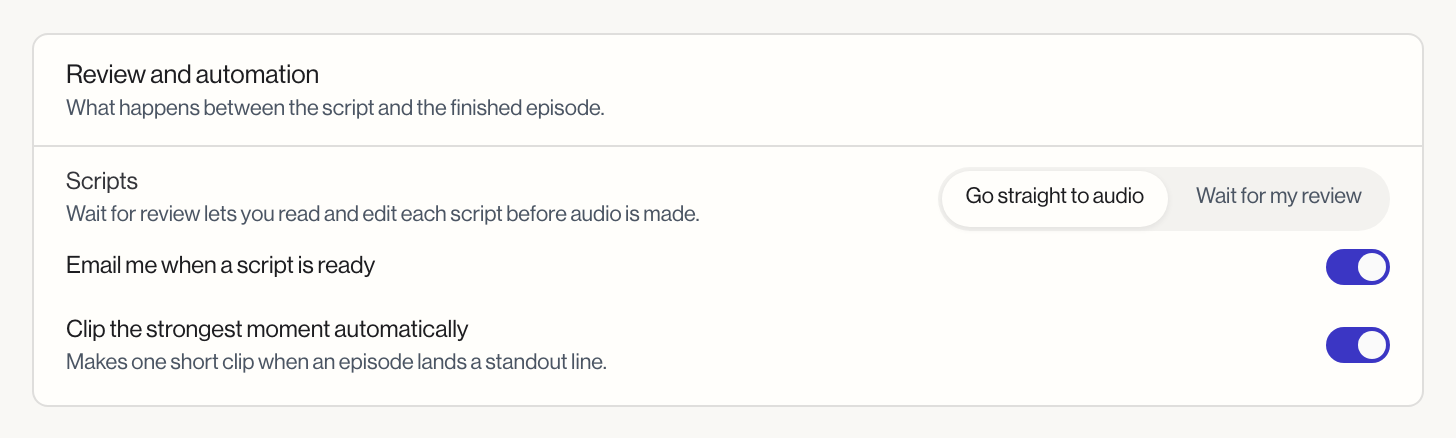
The Scripts row chooses what happens after a script is written: Go straight to audio, or Wait for my review, which lets you read and edit each script before audio is made.
Two toggles sit alongside it. Email me when a script is ready sends a notification once a script finishes, useful if you have review turned on. Clip the strongest moment automatically makes one short clip when an episode lands a standout line; it is on by default.
Show memory
A slider that sets how readily Mato keeps a fact for later episodes, running from "Keeps more" to "Keeps only what it's sure of." This controls how closely a moment from a past interview has to match the current conversation before your co-host is allowed to bring it up as a callback. Set it toward "Keeps more" for a co-host that references past guests more often, or toward "Keeps only what it's sure of" for fewer, more confident callbacks. See Show memory for what gets remembered in the first place.
Voice engine
This section only appears if your workspace has the experimental voice engine enabled, or your show already uses it. Choose between Google Gemini TTS (the default, multi-speaker and lower cost), ElevenLabs (premium voices and cloning), and, when available, an experimental self-hosted engine.
Archive this show
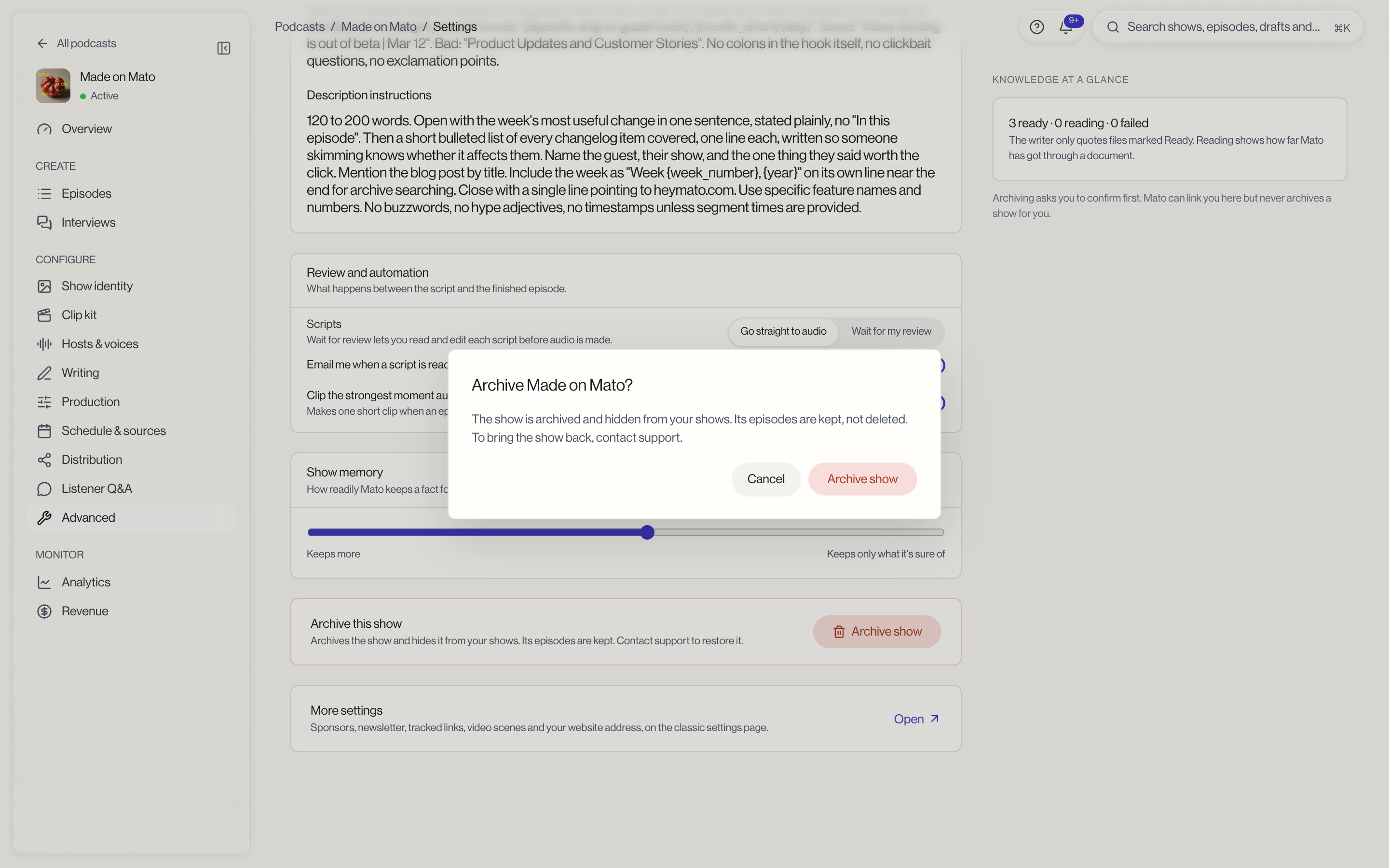
Near the bottom of the page, the Archive this show card hides the show from your shows. Its episodes are kept, and support can restore the show if you change your mind. Click Archive show, and a dialog asks you to confirm before anything happens. Mato can link you to this card when you ask about it, but it never archives a show for you.
Save your changes
Titles and descriptions, review and automation, memory sensitivity, and voice engine all save through the floating save bar. Knowledge uploads and deletes are immediate.