
The Writing page controls how Mato's writer turns your sources into a script: how long an episode runs, how the hosts sound together, what the writer always keeps in mind, and how far back it looks for source material.
Open it from your show's Configure sidebar, under Writing.
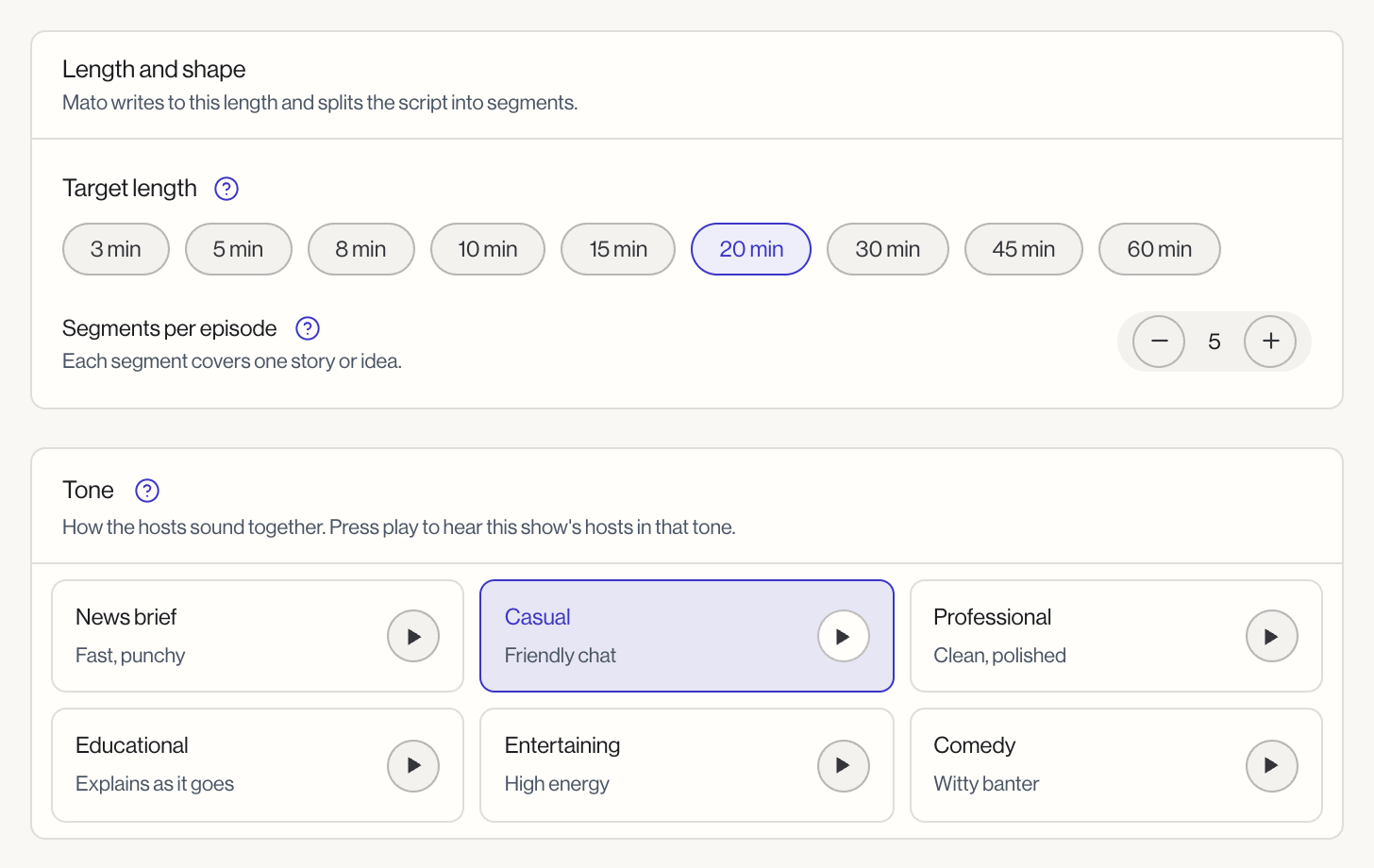
Length and shape
Target length. A row of length chips: 3, 5, 8, 10, 15, 20, 30, 45, or 60 minutes. Mato writes the script to land near this length and splits it into that many minutes' worth of segments. The finished audio can run a little over or under, since hosts pace lines differently. Default is 5 minutes.
Segments per episode. A stepper from 1 to 10, next to the length chips. Each segment covers one story or idea. More segments means shorter stops on each one; fewer gives each one room to go deeper. Default is 5.
Tone
A grid of tone cards: News brief, Casual, Professional, Educational, Entertaining, and Comedy. Each card has a one-line description (News brief is "Fast, punchy") and a play button that previews the tone using this show's actual hosts, so you can hear it before you commit. Default is Professional.
Tone changes how the hosts talk to each other, not what topics they cover.
What the writer keeps in mind
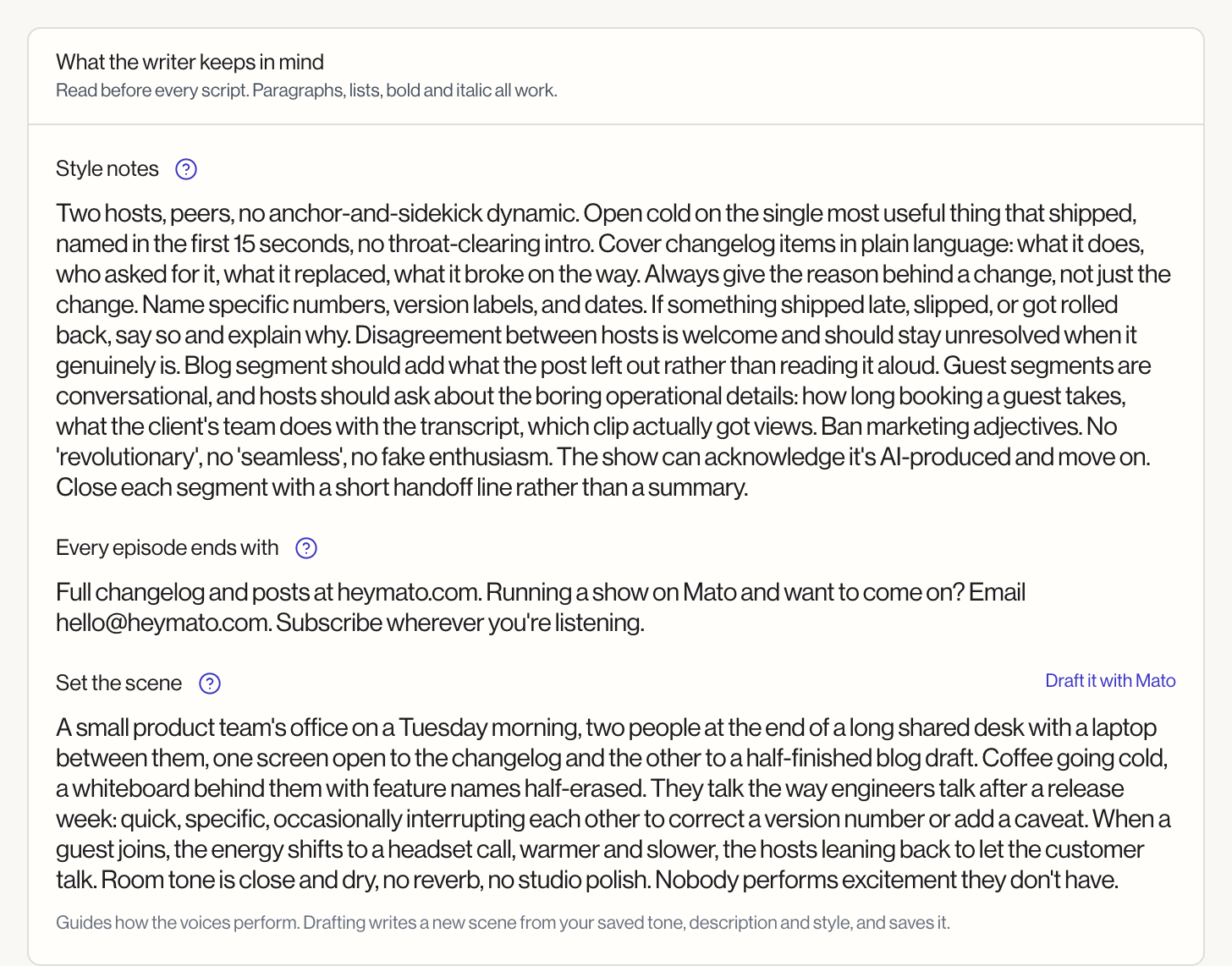
Three free-text fields, each a rich-text box that accepts paragraphs, lists, bold, and italic. The writer reads all three before every script.
Style notes (up to 2,000 characters). Rules for the writer to follow every time: words to avoid, how to open, what to always explain. Short, direct lines work better than long paragraphs here.
Every episode ends with (up to 500 characters). What the hosts say or ask for in the last lines, such as a question for listeners or a teaser for the next episode's topic.
Set the scene (up to 5,000 characters). One or two sentences describing the room your hosts are in. This never gets read aloud, but it shapes how the voices perform: a busy newsroom sounds quicker than a late-night studio. Click Draft it with Mato to have the AI write a new scene from your saved tone, description, and style notes. The draft replaces what is in the field and saves right away; edit it afterward if you want to change it.
Research
How old source material can be. A dropdown: up to 1, 3, 7, 14, 30, or 90 days. The writer skips any source article older than this. A shorter window keeps episodes current; a longer one suits topics that do not move fast. Default is 7 days.
Search the web while writing. A toggle. When on, the writer looks up fresh reporting on top of your connected sources before it starts writing. Scripts take longer to generate with this on. Default is on.
What the writer also reads
The right-hand panel on this page, What the writer reads, lists every input that feeds into a script and where to change it. Style notes, the ending, and the scene are marked This page; the rest live elsewhere:
- Show description: set on Show identity
- Hosts and their traits: set on Hosts & voices
- Knowledge files: set on Advanced (see Advanced settings)
- This week's sources and ideas: set under Plan, on Sources and Ideas
Each link on that panel opens the page that actually owns the field, since none of those values live on the Writing page itself.
Saving your changes
Each field on this page saves as part of the same save bar. Edit any field and a bar appears at the bottom of the screen with Discard and Save changes. Nothing here saves until you click Save changes, except Draft it with Mato, which saves the new scene as soon as it is written.