
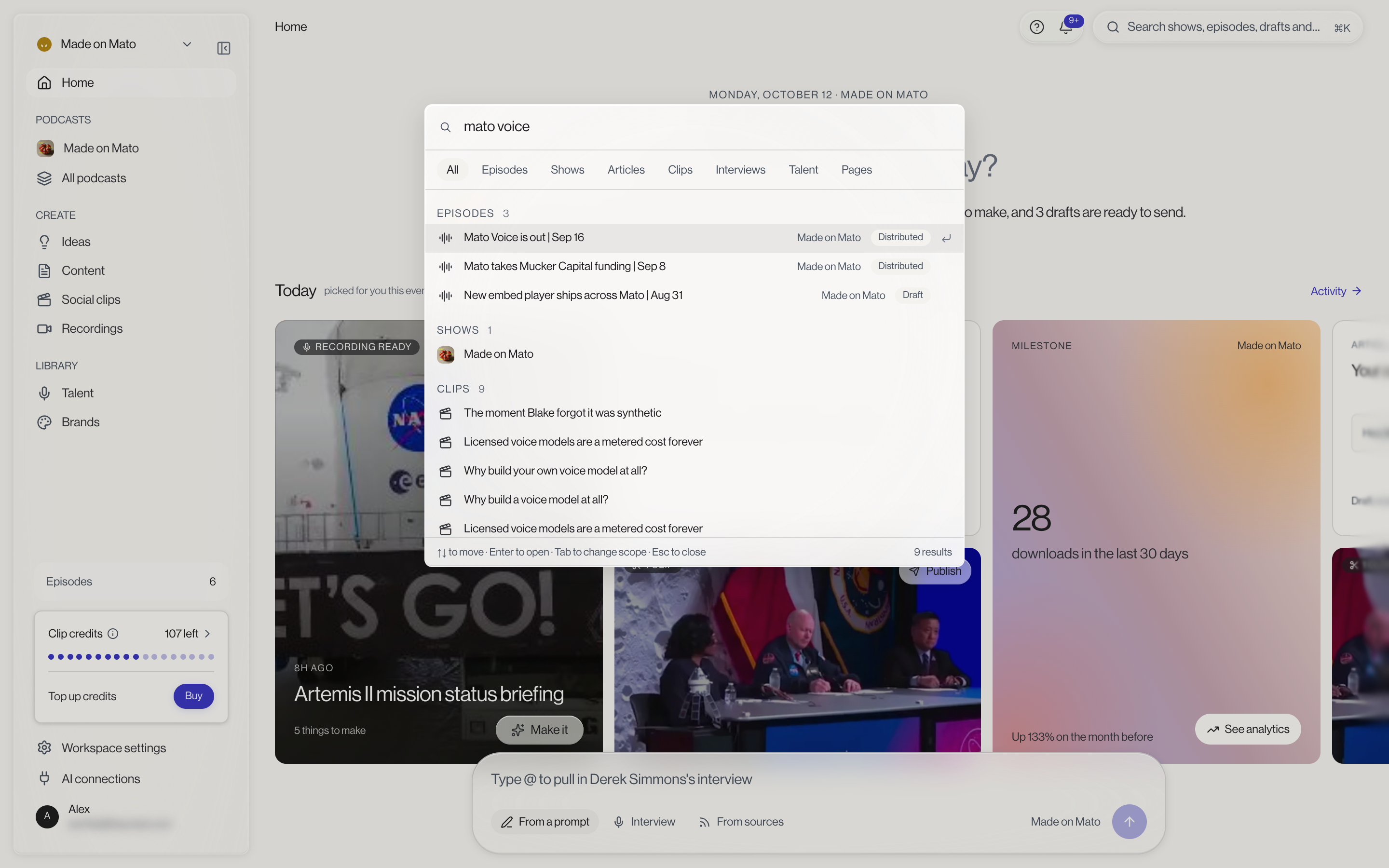
Press ⌘K or Ctrl+K from anywhere in Mato, or click the search field in the top bar, to open search. Either modifier works regardless of platform, and pressing it again closes the palette.
What it searches
Search covers your content: episodes, shows, articles, clips, interviews, talent, and brands, grouped by kind in the results. It also covers pages: every item in the sidebar, both at the workspace level and, once you're inside a show, that show's own sidebar too, so you can jump straight to a settings page or a specific show's analytics without clicking through.
Narrowing a search
A row of scope chips above the results (All, Episodes, Shows, Articles, Clips, Interviews, Talent, and Pages) lets you filter to one kind at a time. With the search field focused, Tab and Shift+Tab cycle through the same scopes without touching your mouse.
With an empty query, search shows your five most recent destinations, plus a Jump to list: the current show's Overview, Episodes, and Identity, alongside Home, All podcasts, Articles, Social clips, Talent, and Settings.
Moving around
Use the up and down arrows to move through results, Enter to open the highlighted one, ⌘Enter or Ctrl+Enter to open it in a new tab instead, and Esc to close the palette.
Related guides
See Find your way around for the full sidebar and top bar layout, and Keyboard shortcuts for everything else you can do without a mouse.