
The Guests tab (next to Interviews and Requests on your show's Interviews page) is where every person you have invited or interviewed lands, along with recommendations for who to invite next.
Worth inviting now
When Mato has recommendations, a Worth inviting now row appears above your guest list, drawn from this week's news and your network. Each card shows the person's name (and role, when Mato has one), why Mato suggests them, and a piece of evidence (a quote from a news source, or how many shows in your network have had them on).
Click Invite to open the invite wizard with their details filled in, the bookmark icon (Save for later) to keep them, or Not now to dismiss the card. Dismissing does not undo; save first if you might want them later. Click See all (it shows the total count) to expand past the first three cards.
Your guests
Below the recommendations, Your guests shows every guest as a portrait card with their name and role. Guests you have interviewed also show their episode count, the date they were last on, and topic tags. Guests who have not recorded yet show where they stand instead, for example "Invited Sep 17". Filter by All, Saved, Came back (interviewed more than once), or Quotes can be reused (each chip shows its count), or type in Filter by name or topic. The sort menu defaults to Last on the show; you can also sort alphabetically.
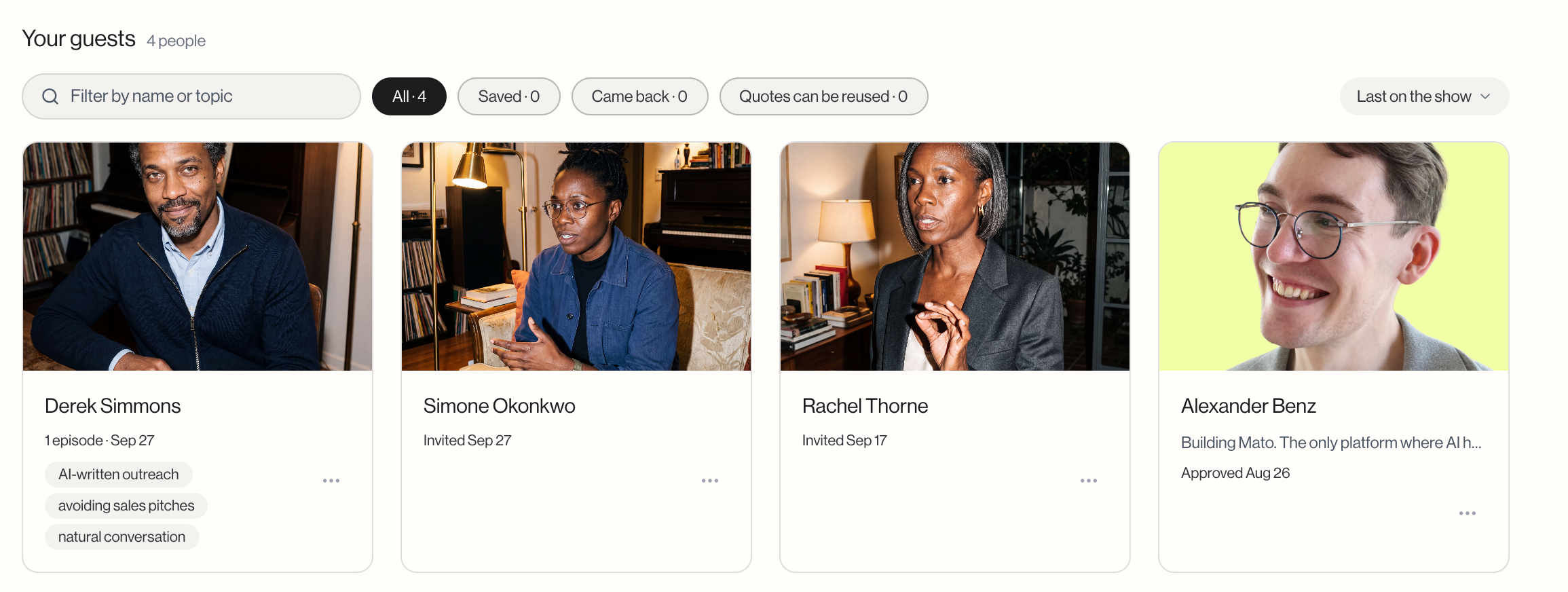
Each card's menu lets you open the profile or invite the guest again. If your plan does not include interviews, the invite option is replaced with a link to upgrade.
A guest's profile
Click a guest to open their profile:
- Their words on the show (shown once a guest has usable quotes) plays quotes Mato kept from each interview, labelled with the episode they came from.
- Episodes with [name] lists every published episode that features them, with a play button and download count. Until there is one, it says "No episodes with [name] yet."
- Interviews lists every interview on this show, with its date, length, format, and current stage.
- What Mato knows shows facts pulled from their LinkedIn or X profile, with the date Mato last checked. If Mato has not fetched a profile, it says "Mato hasn't looked them up yet."
- Your notes is a private text field (up to 4,000 characters) only your team can see. Save it like any other setting, through the save bar at the bottom of the page.
- What they agreed to shows whether their quotes can be reused in later episodes, and whether other shows on Mato can discover them.
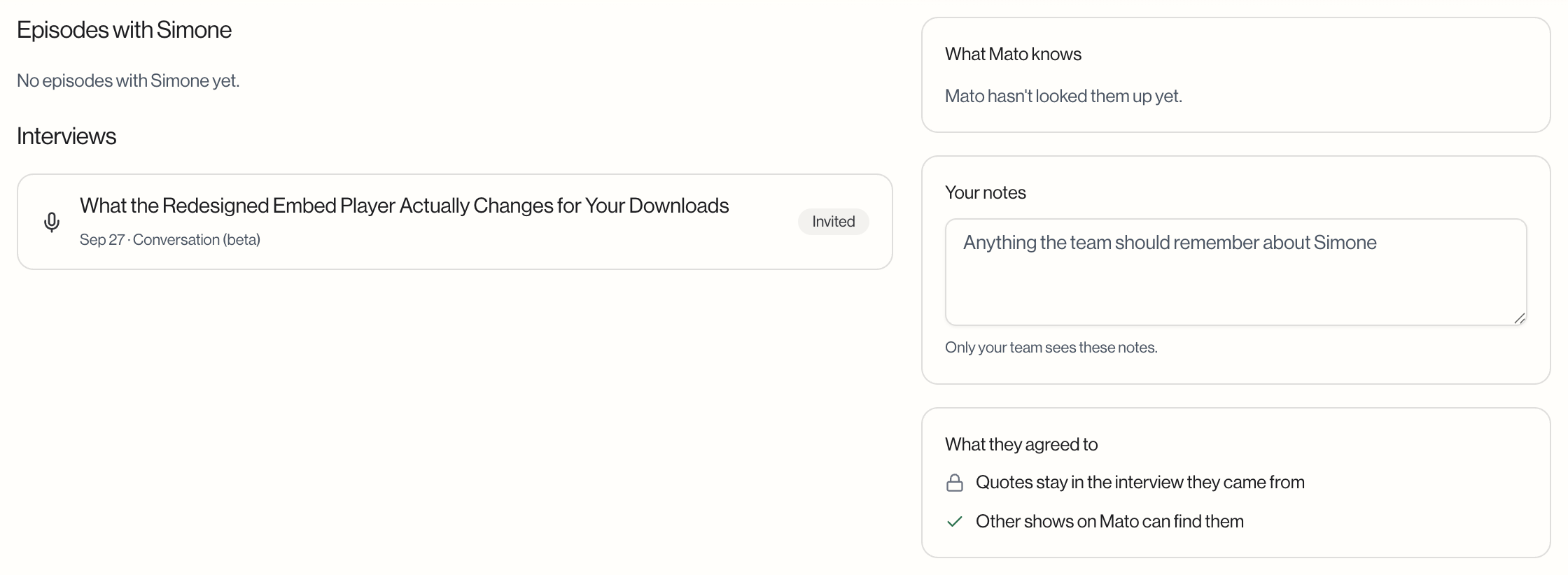
From the profile header you can copy the guest's email, hear how they pronounce their name (when Mato has a recording of it), open their LinkedIn or X profile, or invite them again.
What to do next
Start a new invite from any profile with Invite again, or see Review interview requests for guests who apply to be on the show instead of being invited directly.