
Voice studio is where you choose how a host sounds. It offers three ways in: pick a preset, clone a real voice, or design one from scratch.
A voice belongs to the talent, not the show. You can swap it whenever you like, and every episode from then on uses the new one.
Open Voice studio
Go to Talent in the sidebar and open the host. Click Change voice, either in the page header or on the Voice card, or click Manage next to the current voice on the card.
The page opens with a heading built from the host's name, for example Give Elena Reyes a voice. Under it, Current voice shows what the host uses now, for example Preset Liv. A note explains that designed and cloned voices play on shows that use Mato Voice.
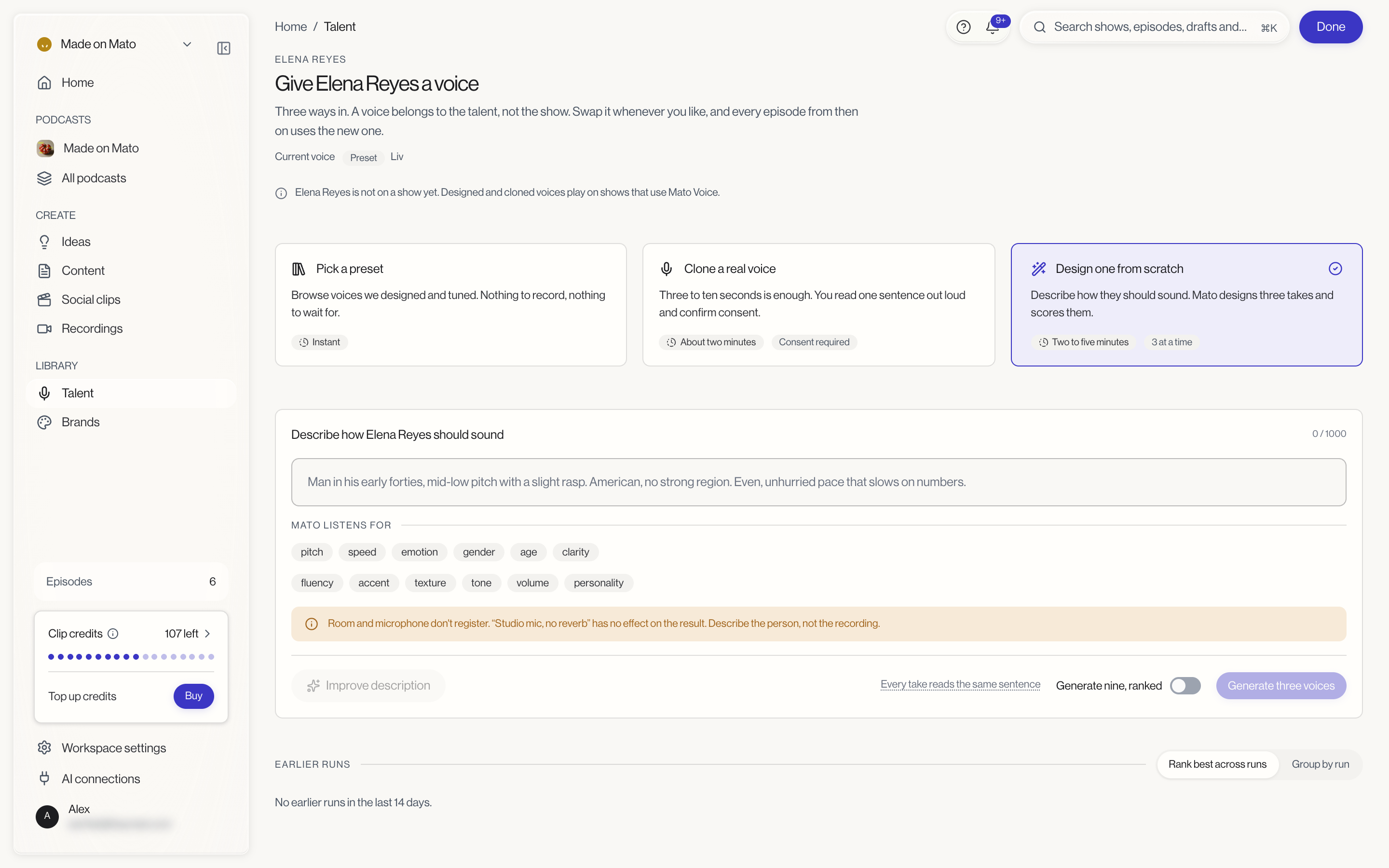
Click one of the three cards to open that route below it. When you're finished, click Done in the top-right corner to leave Voice studio.
Pick a preset
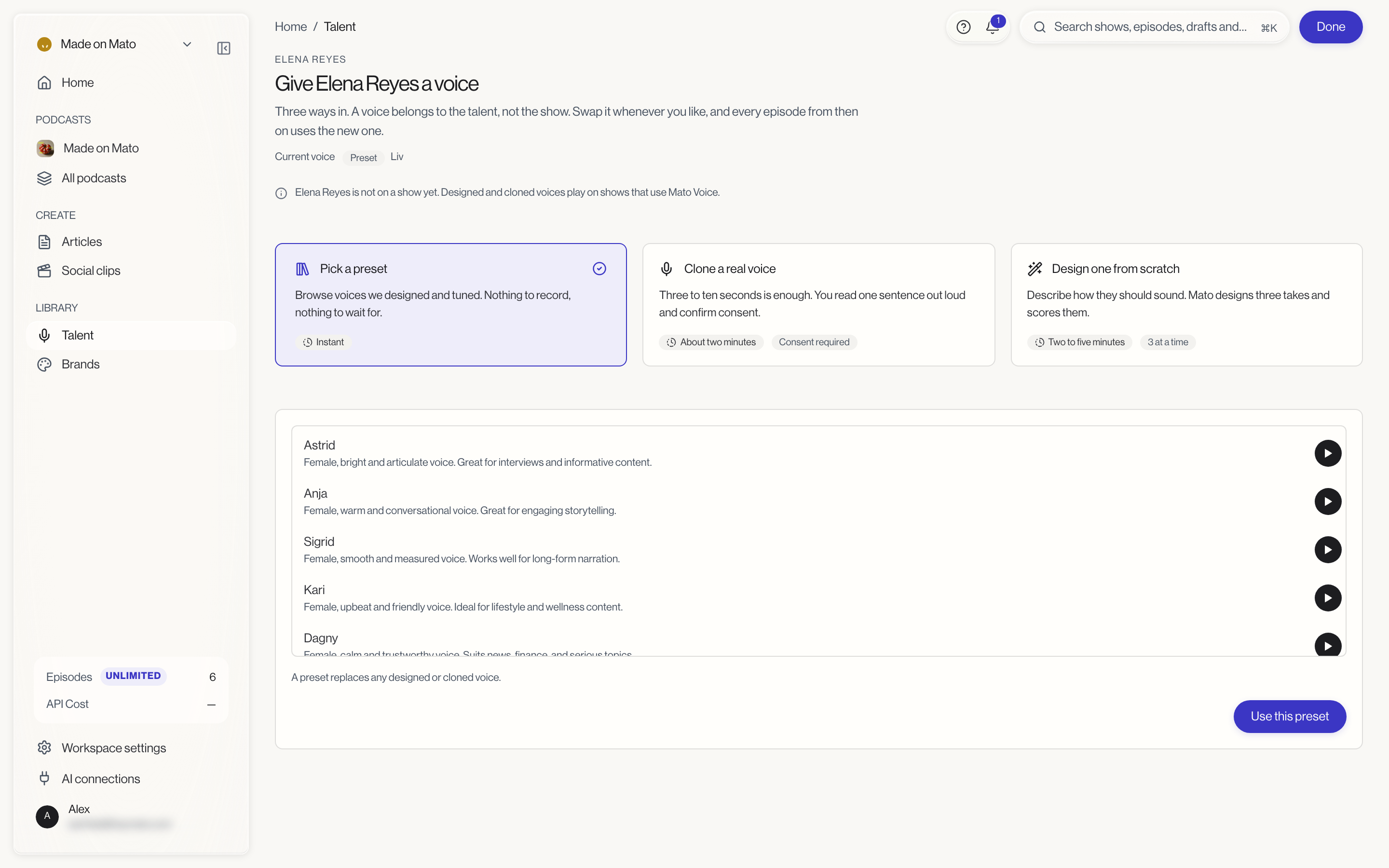
Pick a preset is marked Instant: there is nothing to record and nothing to wait for. It lists voices Mato designed and tuned, each with a name and a short description, such as "Female, warm and conversational voice. Great for engaging storytelling."
Click the play button next to a voice to hear it. Select the one you want and click Use this preset. A preset replaces any designed or cloned voice the host had.
Clone a real voice
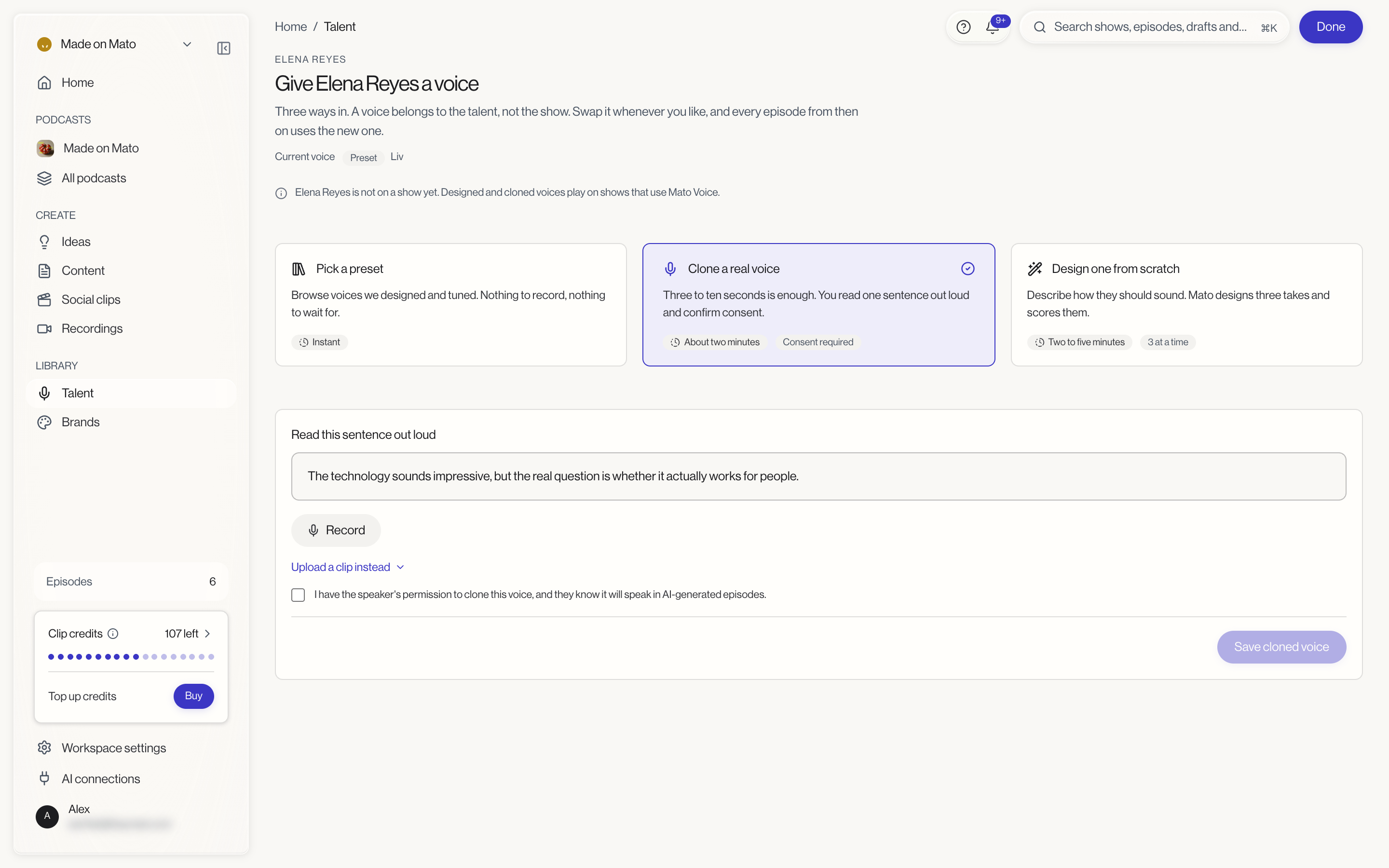
Clone a real voice takes About two minutes and is marked Consent required. Three to ten seconds of speech is enough.
- Read the sentence shown under Read this sentence out loud, then click Record. If you already have a recording, click Upload a clip instead.
- Tick the box that says you have the speaker's permission to clone this voice, and that they know it will speak in AI-generated episodes.
- Click Save cloned voice.
Only clone a voice when the person has agreed to it.
Design one from scratch
Design one from scratch takes Two to five minutes and produces 3 at a time. You describe how the host should sound, and Mato designs three takes and scores them.
- In the Describe how ... should sound field (for example Describe how Elena Reyes should sound), write a description of up to 1,000 characters.
- Optionally, click Improve description before you generate.
- Click Generate three voices. Turn on Generate nine, ranked first if you want more takes to choose from.
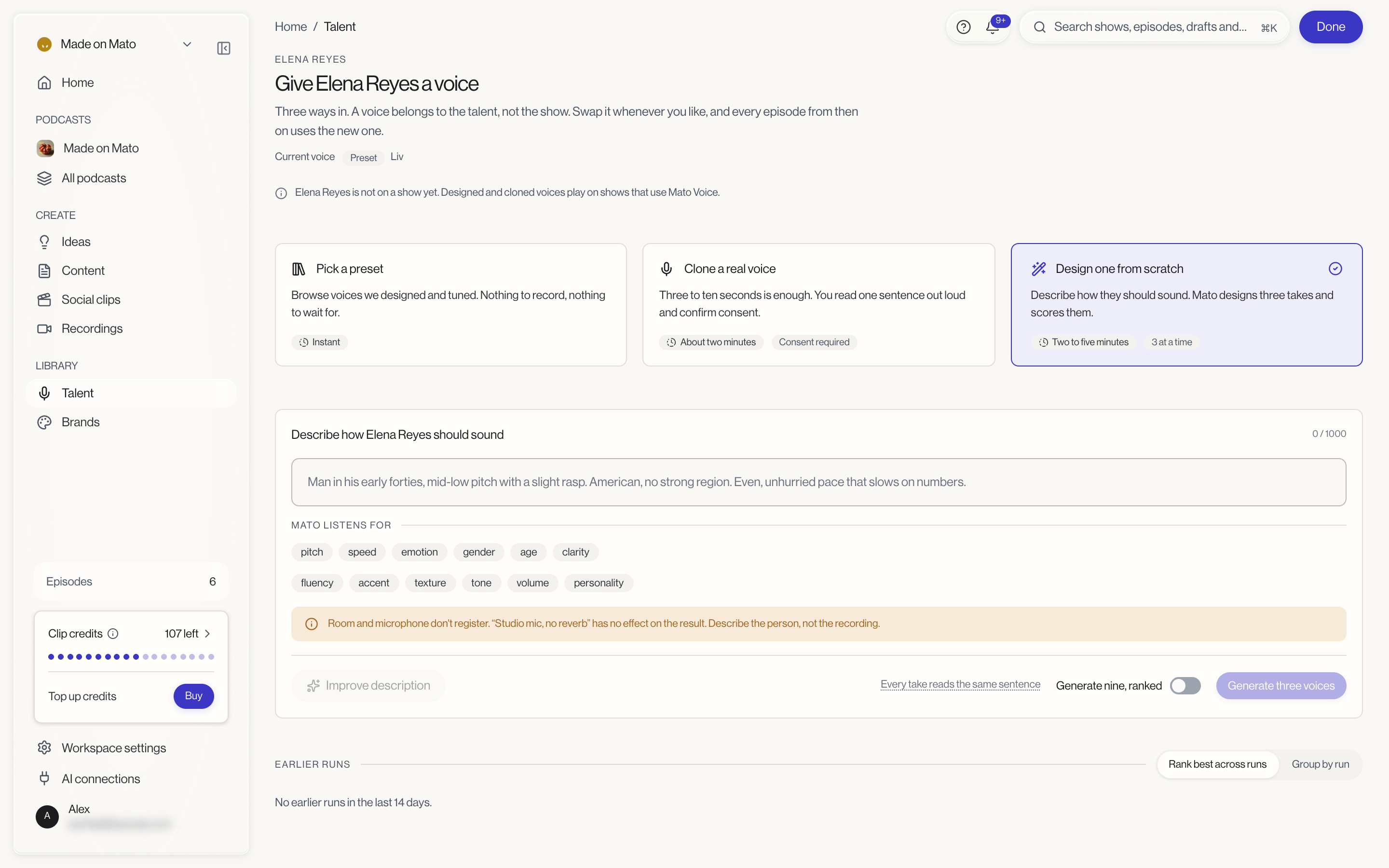
Under Mato listens for, the page lists the qualities your description can shape: pitch, speed, emotion, gender, age, clarity, fluency, accent, texture, tone, volume and personality. Room and microphone don't register, so a phrase like "Studio mic, no reverb" has no effect. Describe the person, not the recording. Every take reads the same sentence, so you can compare them directly.
Earlier runs at the bottom of the page lists your design runs from the last 14 days. You can view them with Rank best across runs or Group by run.
Related
- Configure voice and delivery covers the Voice card and delivery settings.
- Create a host covers building a new host.