
Getting listed on a podcast directory is a two-step process: Mato has to submit or make your feed discoverable, and then the platform has to review or crawl it. Most "not listed yet" cases are normal waiting, not a broken submission. This article walks through how to tell the difference.
Check the actual directory status first
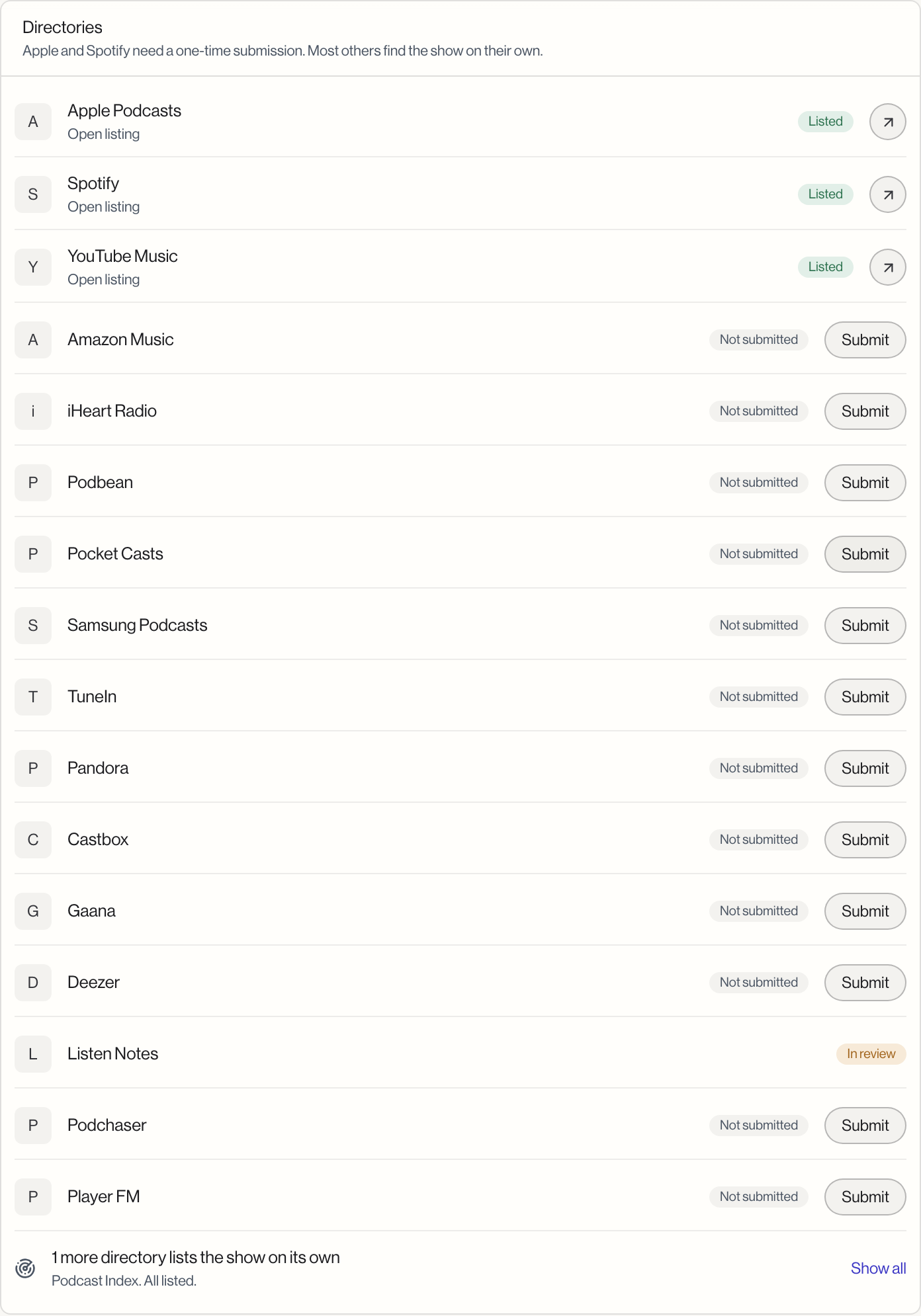
Open the show's Distribution settings and scroll to the Directories card. Every directory shows one of four states:
| Status | What it means |
|---|---|
| Not submitted | Nobody has started a submission for this directory yet. |
| In review | You submitted, and the platform is reviewing it. |
| Rejected | The platform declined the submission, usually for a specific, fixable reason. |
| Listed | The directory has accepted and published the show. |
If a directory still says Not submitted, that is the answer: nothing has been sent yet. See Send your show to podcast apps to submit it.
Make sure the show is synced first
Every submission action in the Directories card is disabled until Mato hosting shows Synced. If you never see a working Submit button, check the Mato hosting section above the Directories card. A show that has not synced cannot be submitted anywhere, manual or automatic.
"In review" can take a while, and that is normal
Manual directories each have their own review timelines. Apple Podcasts and Spotify are usually the fastest; others can take one to two weeks. A directory sitting in "In review" past its usual window is not necessarily stuck. Mato also refreshes these statuses automatically in the background, so a status can update even if you never manually check it.
For directories that list the show on their own (the ones grouped in the summary row at the bottom, such as Podcast Index), there is no submission step to double-check. They rely on discovering your feed on their own schedule, which can also take one to two weeks.
If a directory was rejected
Rejections are almost always about the feed itself, not something wrong with your account. Check the common causes before resubmitting:
- Missing or undersized cover art (most platforms require at least 1400x1400 pixels).
- A show description that is too short or still has placeholder text.
- An RSS feed with zero published episodes.
- An owner email that does not match the account used to submit.
Fix the issue, sync the show again from Mato hosting, then click Fix and resubmit on the rejected directory's row.
What "listed on the episode page" does not tell you
An episode's own "Where it went" card shows whether that specific episode reached Mato's hosting pipeline. A Live status there means the pipeline accepted the episode, not that every external directory has already indexed it. Directory-level listing status always lives on the show's Distribution settings page, not on an individual episode.
Still not listed after checking all of this
Contact Mato support with the show's RSS feed URL and the directory name. Have the show synced and at least one episode published before you ask; support cannot troubleshoot an unsynced feed.