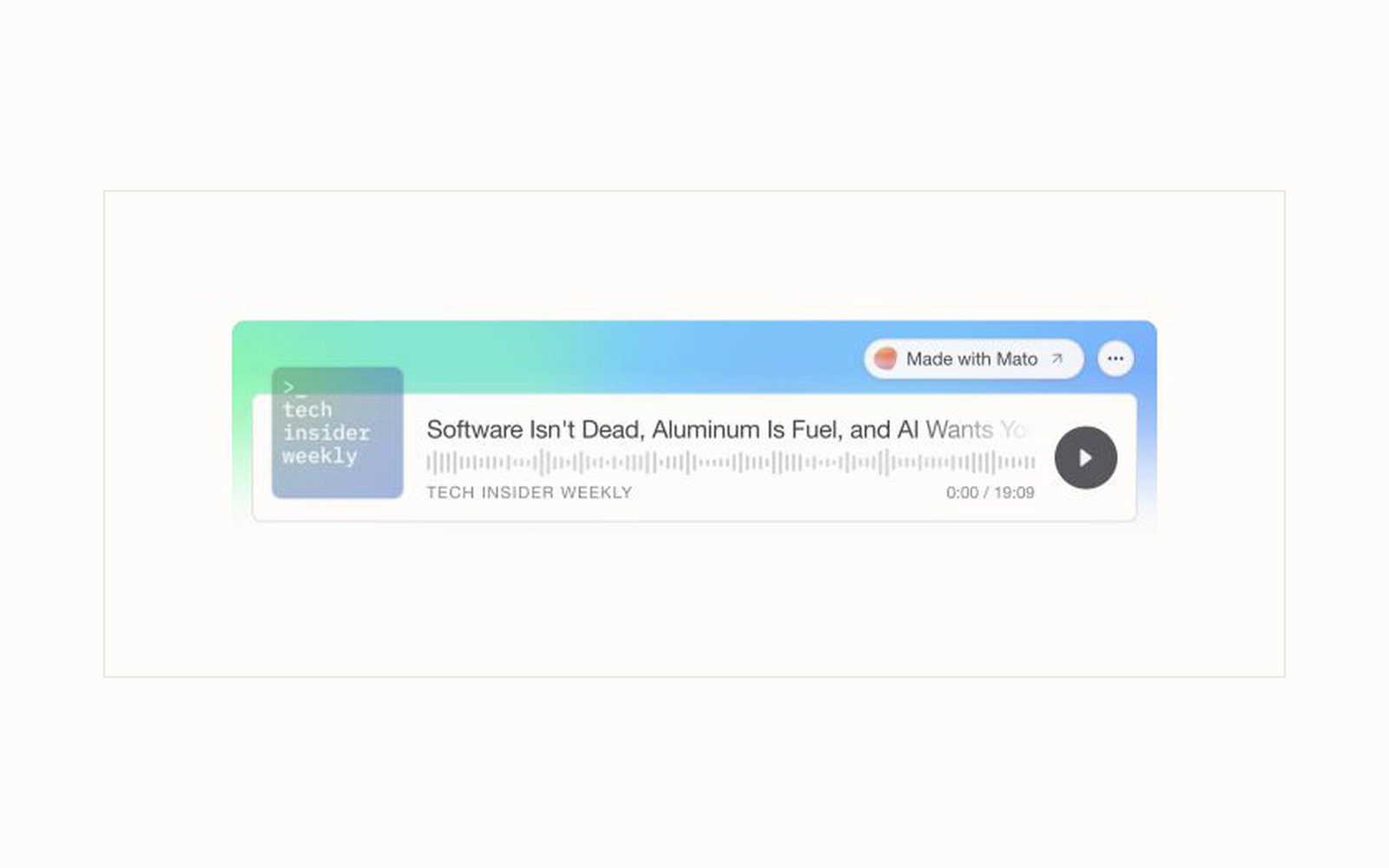
Short answer: The redesigned Mato embed player is live. It gives episode and show embeds a responsive card, cover-aware color, a clearer waveform, light and dark themes, and chapters or transcript controls when the episode includes them. The same public loaders remain in place, so existing integrations do not need a new plugin.
Mato's new episode player in the V3 product style, captured from the V3 embed-player page on August 29, 2026.
A podcast player often appears at the most valuable point in a page: after a reader understands the topic, but before they decide whether to spend time with the full conversation. The old choice was usually a plain audio bar or a link that sent the reader to another platform.
We rebuilt Mato's player around a different idea. The embed should feel like part of the page while still making the episode easy to recognize, play, navigate, and share.
The episode has an identity before anyone presses play
The new player puts the episode cover, title, show name, progress, and play control in one visual system. Color is derived from the show's cover art when that data is available, with a neutral fallback when it is not.
That matters because an embedded episode is not generic audio. It belongs to a show, carries a title, and should be recognizable before the listener commits fourteen minutes to it.
The player also keeps the route back to the public Mato show and episode. A listener can stay on the page to hear the audio or open the source when they want the full episode context.
One player, several footprints
The layout responds to the space provided by the page. A narrow column gets a compact player. A wider article or product surface can show the waveform and more controls. Larger layouts can expose chapters and transcript access when the episode provides that data.
| Available space | What the player prioritizes |
|---|---|
| Narrow cards and sidebars | Cover, title, progress, and play |
| Article columns | Waveform, timing, playback speed, and episode identity |
| Wide product or editorial surfaces | Chapters, transcript access, seek controls, and the fuller episode card |
The width of the container controls the presentation. You do not need a separate mobile embed.
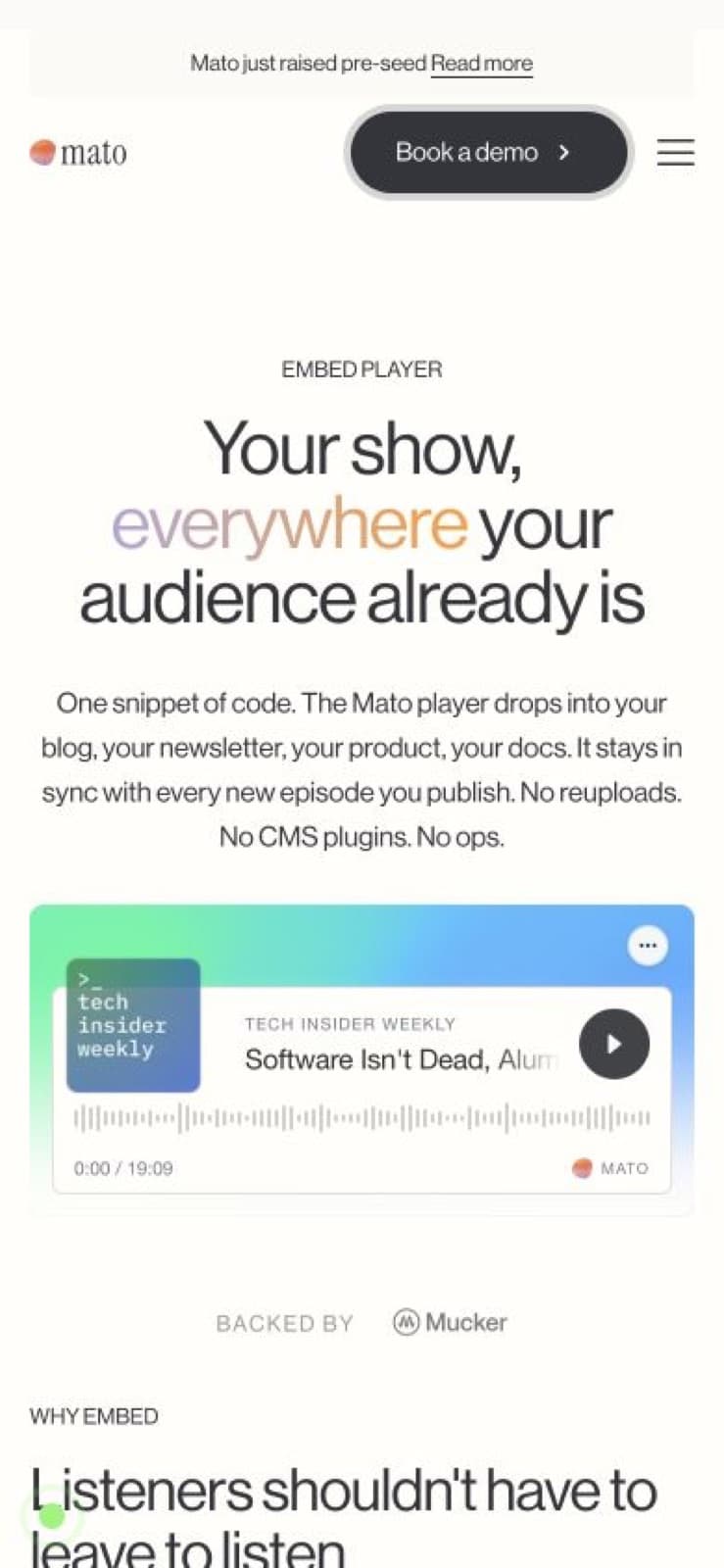
The V3 embed-player page at a narrow browser viewport. The player keeps the episode identity and primary control without asking the publisher to maintain separate markup.
Pin one episode or keep a whole show current
Mato has two public embed loaders.
Use the episode player when a specific conversation supports the page:
<div
  data-mato-player="EPISODE_ID"
  data-theme="light"
  data-variant="standard"
></div>
<script src="https://heymato.com/embed/player.js" async></script>
Use the show player when the page should follow the show as new episodes are published:
<div
  data-mato-show="SHOW_SLUG"
  data-theme="auto"
  data-limit="10"
></div>
<script src="https://heymato.com/embed/show.js" async></script>
The show embed resolves the public show feed, so the page can stay current without replacing the snippet after every release. The episode embed remains pinned to the episode identifier you choose.
Configure the useful parts, then copy the snippet
The public configurator shows the main options and updates the code as you change them. For a show embed, that includes theme, accent, and the number of episodes shown. Episode embeds can use light or dark styling, request a starting timestamp, and fit several container sizes.
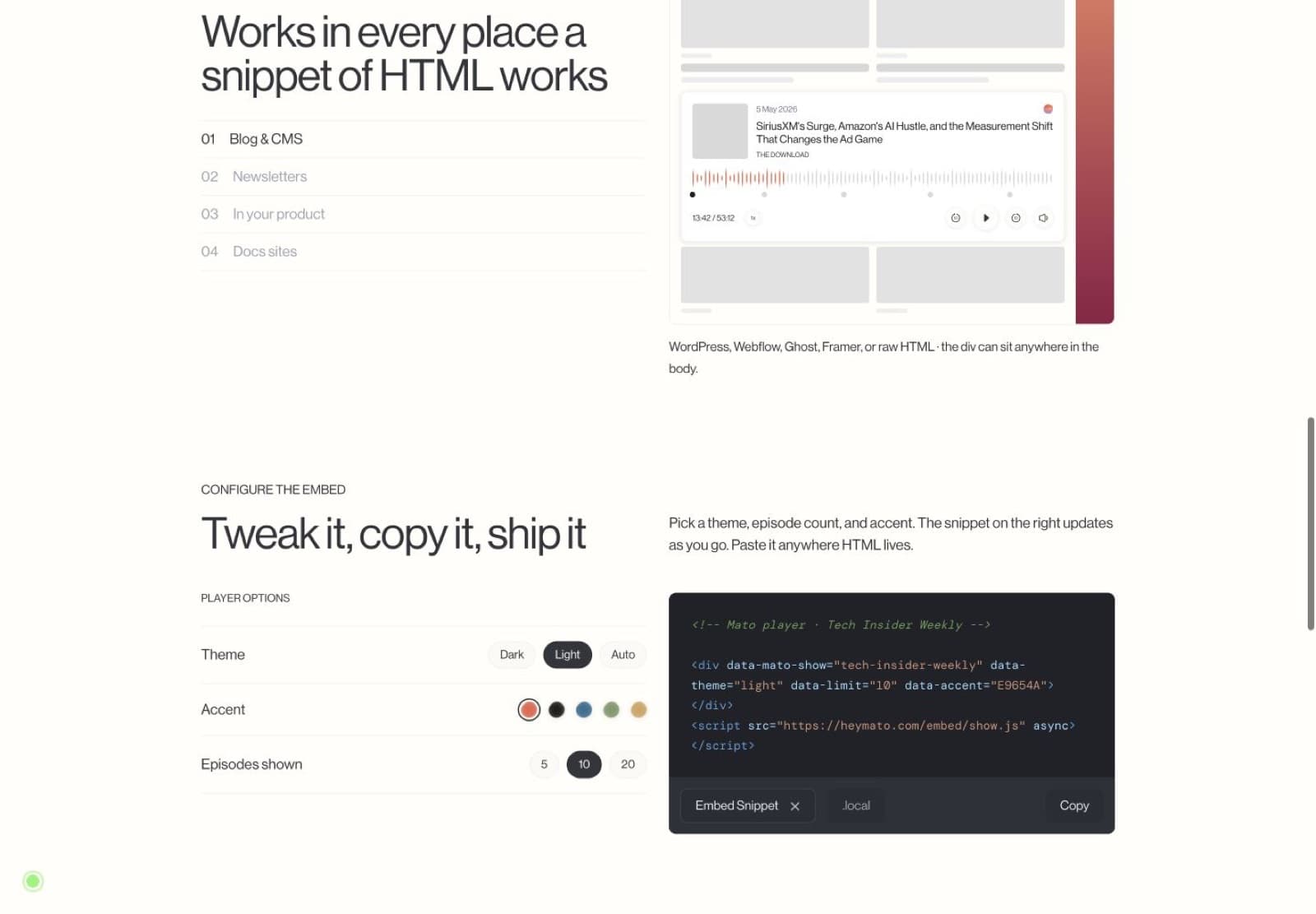
The V3 Mato configurator keeps the visual choices beside the generated snippet. Capture date: August 29, 2026.
The timestamp option is useful when an article refers to a specific answer or chapter. The value can be seconds, mm:ss, or hh:mm:ss in the generated episode-player contract.
Generated snippets also include fallback content. If the script cannot run, the page still has a visible listening card instead of an unexplained empty box.
Hear the player in this article
This is the same public episode used in the live example above. It is embedded through Mato's first-party article block rather than a copied screenshot or a fabricated audio control.
Listen to the episode
SiriusXM's Surge, Amazon's AI Hustle, and the Measurement Shift That Changes the Ad Game
A public episode from The Download, embedded with the new Mato player.

The player route only serves episodes that pass Mato's current public-access and playable-audio checks. A draft or private recording cannot become public merely because someone knows its identifier.
What changed without changing the integration
The redesign replaced the player presentation and playback surface. It did not require publishers to adopt a new CMS plugin or move audio files.
The public integration still starts with a data-mato-player or data-mato-show element and the matching loader script. The loader creates the iframe, validates resize messages against the Mato origin, and adjusts the frame height as the player changes layout.
Inside the player, the new system adds:
- a cover-led color field with light and dark tokens;
- responsive waveform density and keyboard seeking;
- playback speed, mute, fifteen-second seek, and share controls;
- chapter and transcript panels on layouts that have enough room and episode data;
- show boards for embedding several episodes from one public show; and
- a reduced-motion and graphics fallback for browsers that cannot run the animated field.
These details are useful, but the test is simpler: can someone recognize the episode, press play, and keep listening without leaving the page?
Where to place it
The episode player works best when the audio is evidence for the page rather than decoration.
Good placements include:
- a customer or expert story beside the part of the conversation that supports it;
- a research article with a related interview;
- a product or documentation page that benefits from a spoken walkthrough;
- a show landing page with the latest public episodes; and
- a newsletter archive or CMS page that accepts HTML and scripts.
Use one embed at the decision point. Ten players stacked into one article usually make the page harder to scan and split the listener's attention.
Keep the listener on the page
Try the new Mato embed player with a public show or episode.
Open the live configurator, choose the layout and theme, then copy the generated snippet into the page where the conversation matters.
Frequently asked questions
Do existing Mato embeds need to be replaced?
No. The public player.js and show.js loaders remain the integration points. The redesigned player is served through those existing routes.
Can I embed one episode and a full show?
Yes. Use data-mato-player with an episode ID or RSS GUID for one episode. Use data-mato-show with a public show slug when the page should follow the show feed.
Can an episode start at a specific timestamp?
Yes. Episode embeds support a start value in seconds, mm:ss, or hh:mm:ss. Mato's generator writes the normalized value into the embed request.
Does the player support dark mode?
Yes. Episode embeds support light and dark themes. Show embeds support light, dark, and automatic theme selection based on the visitor's color-scheme preference.
Are chapters and transcripts always visible?
No. Those controls appear when the episode includes the relevant data and the player has enough room for the larger layout. Compact layouts keep the primary playback controls visible.
What happens if the embed script does not load?
Mato's generated snippets include a visible fallback listening card. The page does not need to collapse into an empty container while the script is unavailable.